
Web app
Works in any modern browser. Nothing to install.
Start free ↗A memory app for everyday life and work
The MOT date. The boiler’s serial number. The fix that worked last time.
Capture a thought, a photo, a receipt or the steps behind a job in seconds. Ask for it later in your own words, and get a nudge before the dates that matter.
No credit card required. Web and macOS available now. iPhone and Android coming soon. Self-hosted with Docker.
“I used to research the same IT problem months later. Now I save the fix in NeuroMyelin and find the steps when it happens again.”
“I sometimes saved duplicate notes in Obsidian because I couldn’t find the original. Searching by what I remember helps me find the note I already have.”
“I could never find the emails or notes I needed for a holiday. NeuroMyelin helps me find them straight away, saving me time and making planning much less stressful.”
How it works
Save it while you remember it. Find it when you need it. Get a nudge before it slips your mind.
Type a line, say it, snap a photo or keep a link. There’s no folder to pick first, and you can add more context later if you want to.
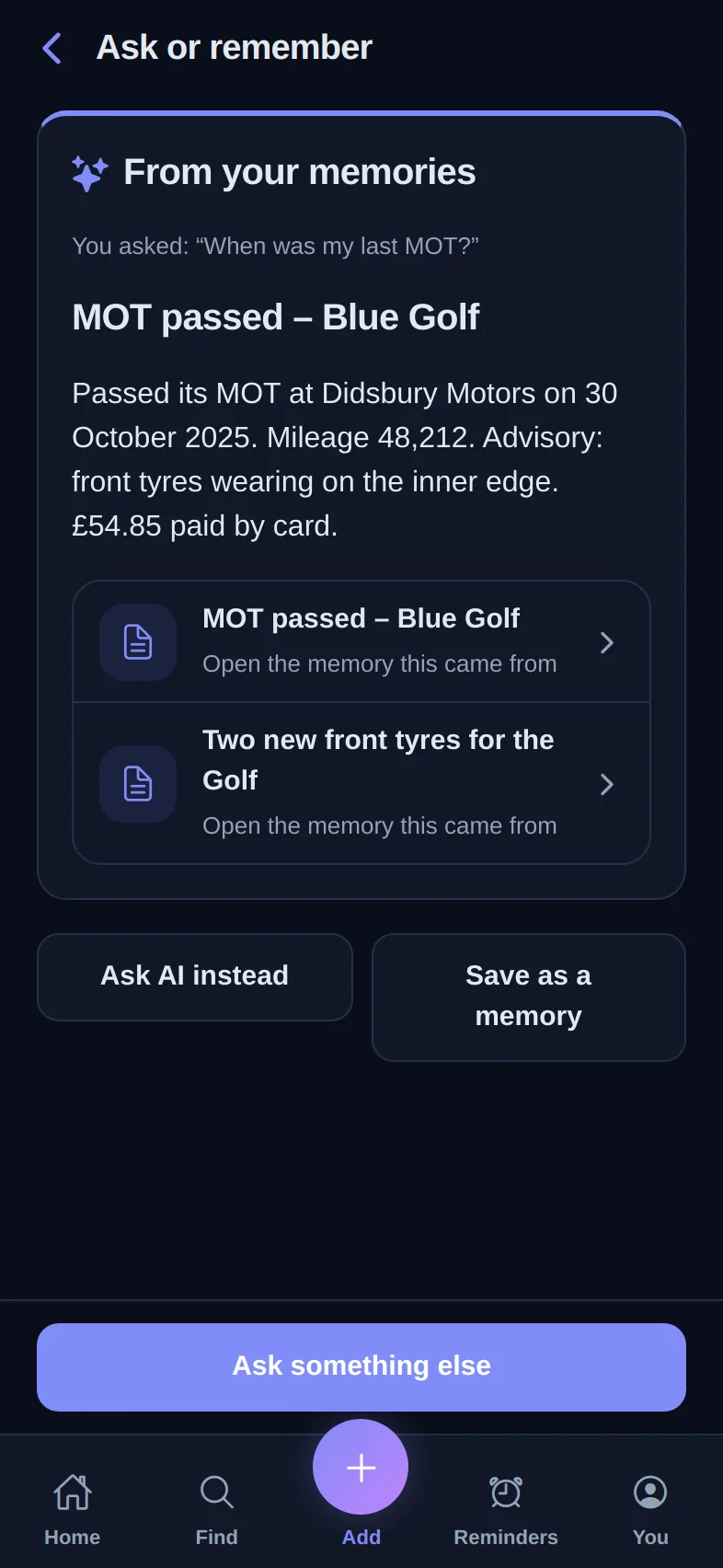
Search in your own words, even when you’ve forgotten the title. Text inside photos and PDFs is searched too, and every result shows where it came from.
Reminders in plain English, plus notice before birthdays, the MOT and renewals. Older memories come back round when they’re worth another look.
One memory, everywhere
Every app signs in to the same account, so a memory saved in one is there in the others.
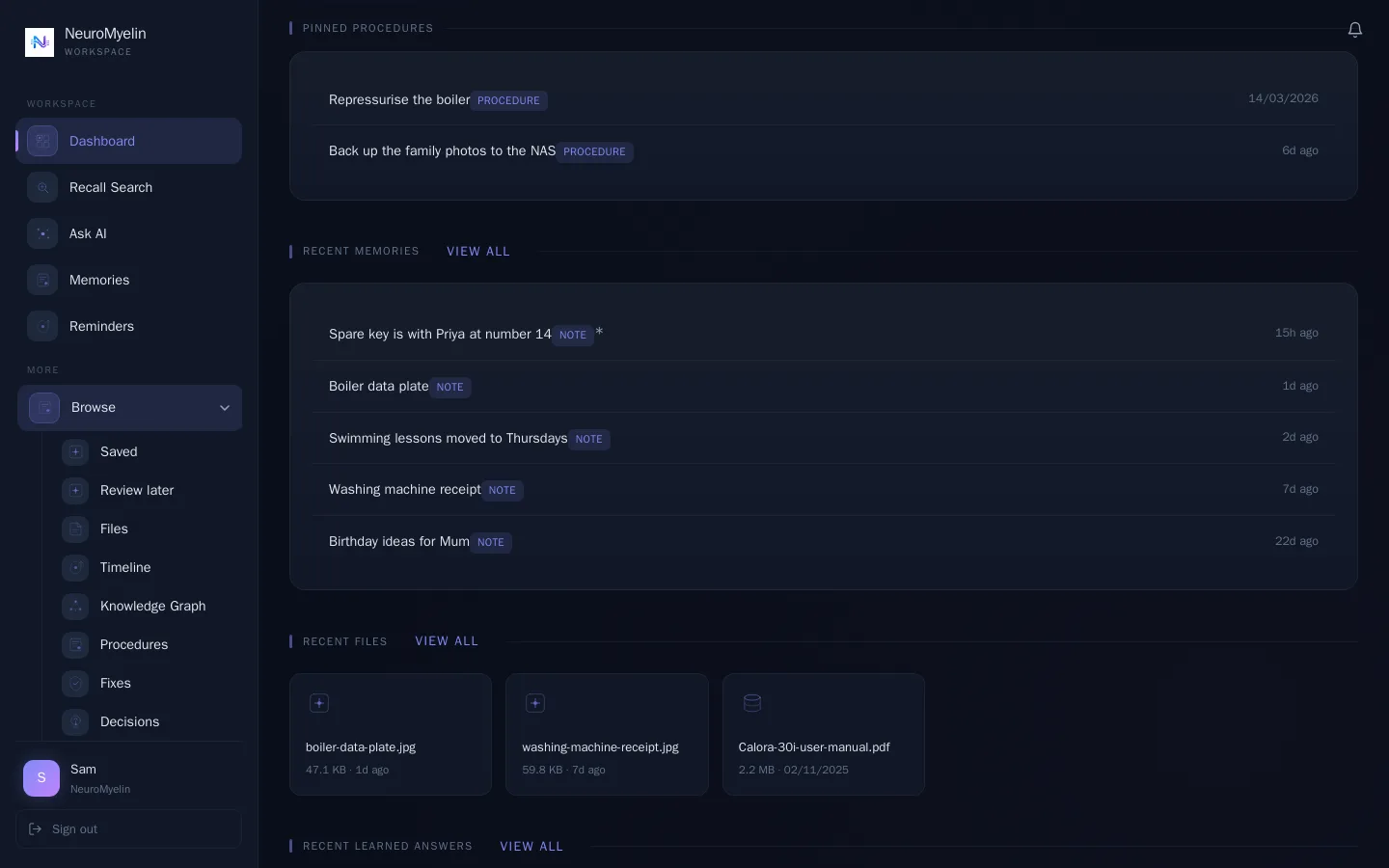
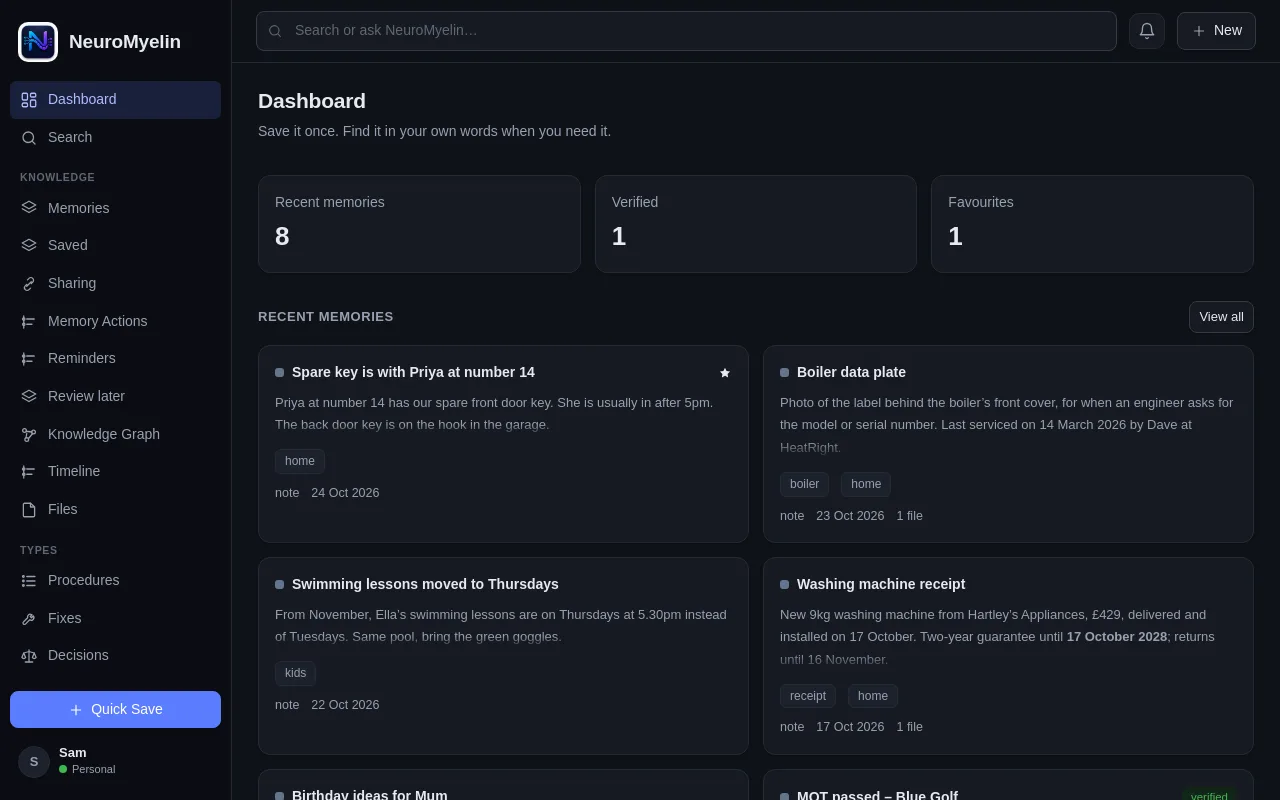
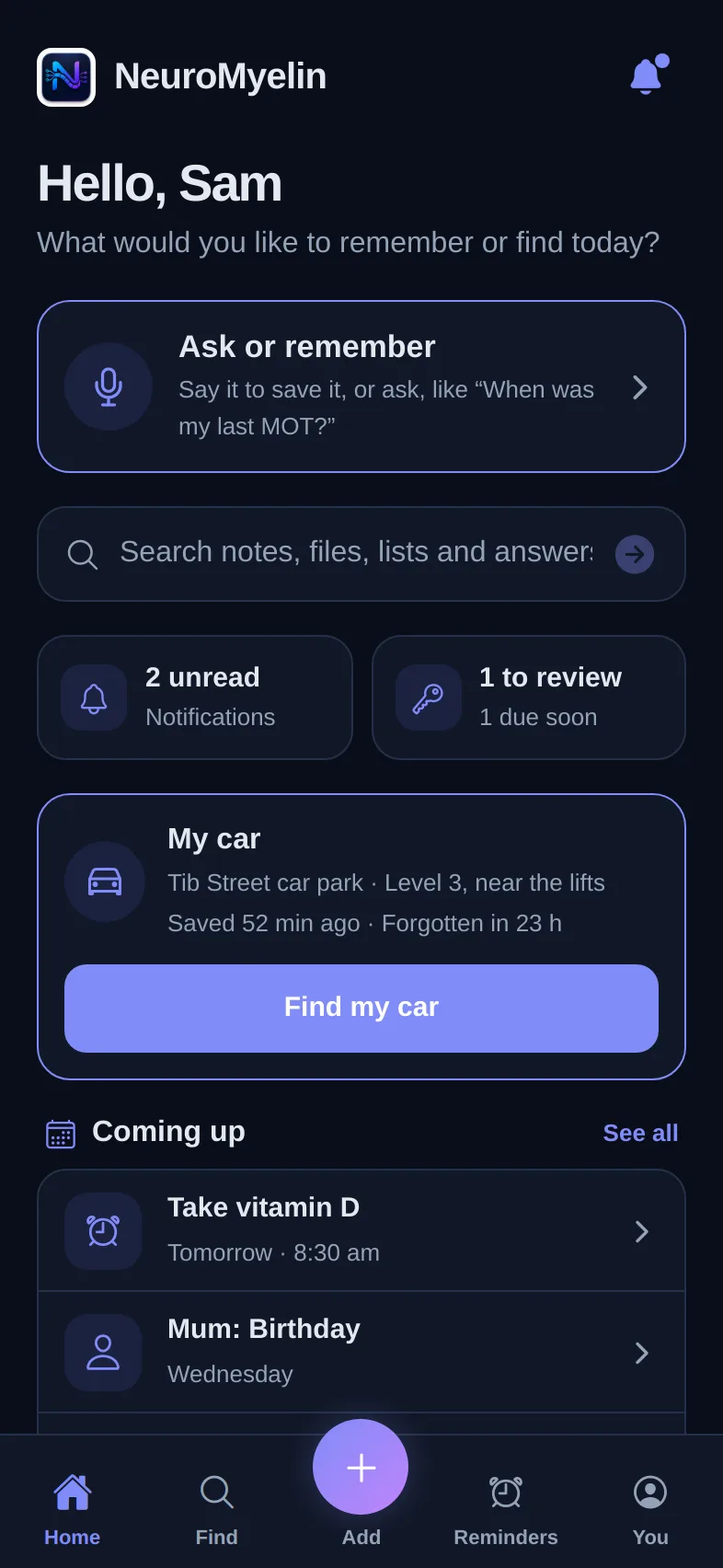
Works in any modern browser. Nothing to install.
Start free ↗For Apple Silicon Macs, with offline access, a PIN lock and keyboard shortcuts. Windows and Linux have waiting lists.
Download ↗Everyday capture, reminders, places, dates that matter and phone alerts.
Run NeuroMyelin on your own server with Docker.
Self-hosting ↗Screenshots of the web, macOS and phone apps with fictional example data.
For everyday life
Reminders, lists, searchable photos and saved links work on the web and Mac today. The phone app adds where you parked, dates that matter and receipts.
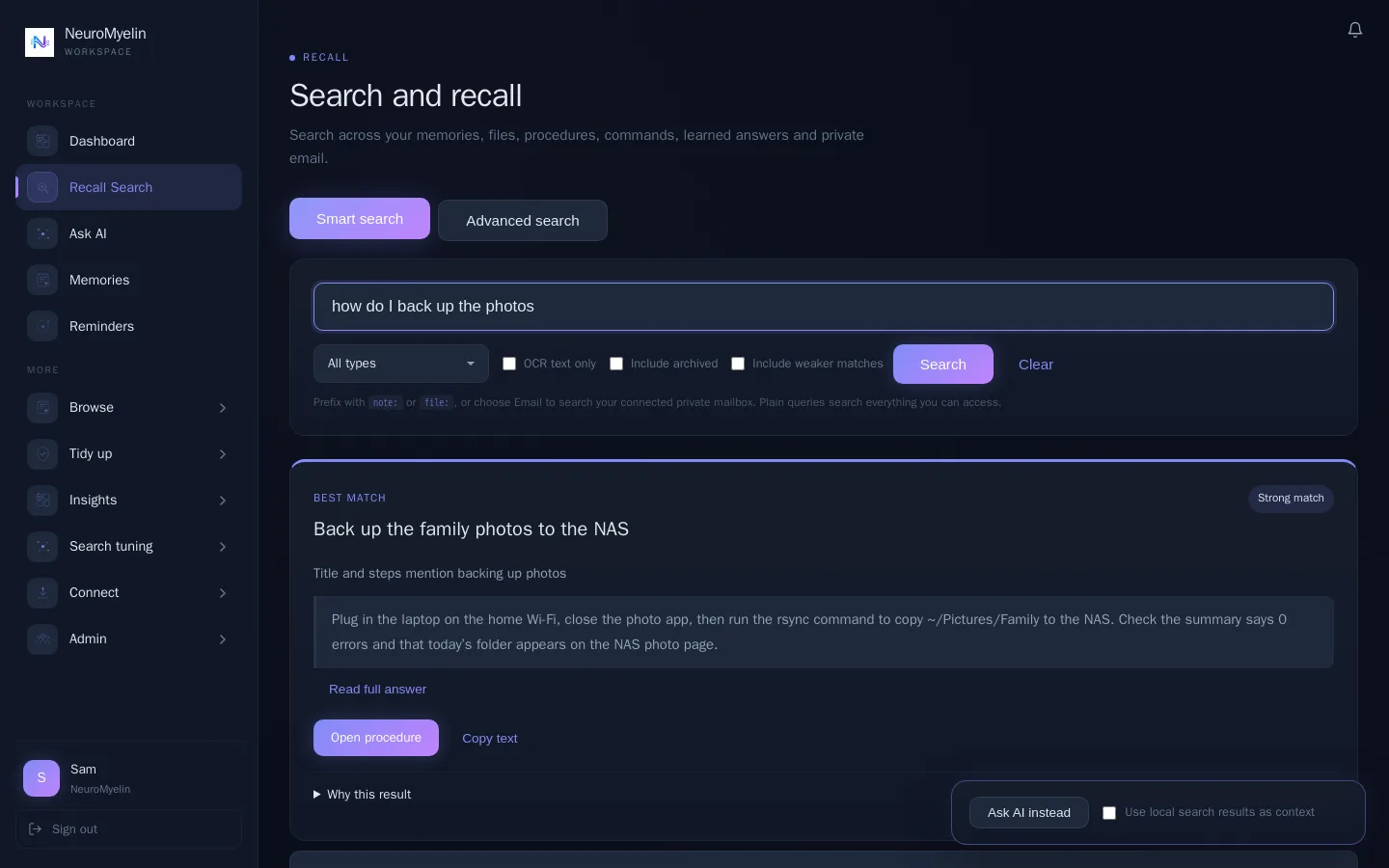
Search the way you’d ask a friend, even when you can’t remember the title. Results show the memory they came from, so you can check it. On the phone, just ask out loud.
Capture
The quickest way to save something is the one you’ll actually use. Pick whichever fits the moment.
One line is enough. It’s saved straight away, with no title or folder to choose. On iPhone, just ask Siri.
Phone · Coming soonA side-by-side editor with headings, steps, code, images, annotations and attachments for the memories that need detail.
Web and macOSPhotos and screenshots keep their text searchable, so a serial number or booking reference can be found later.
Web, macOS and phoneSend a photo, screenshot, PDF or link from Photos, Mail or Files straight into a memory.
Phone · Coming soonUse the phone’s document scanner for letters and manuals, and add the text it reads to the memory.
Phone · Coming soonImport from Obsidian, Trilium, Joplin, CherryTree, Markdown, HTML or text. A one-time import, not a sync.
Web and macOSRecall
A useful result is more than a matching title. Recall brings back your saved answer, the steps behind it and the source, with a note on why it matched.
Your memories are searched first. Ask AI is there when you want to go further, and you choose what it sees.
Explore Recall NeuroMyelin / RecallExample workspace
The configuration notes, checks and decisions from the last setup, kept together in one saved procedure.
The settings and context recorded last time.
Use the checklist saved with the procedure.
Open the original notes when you need more detail.
This example matches the saved procedure's title and content about Fortinet VPN configuration. Match confidence describes search relevance.
When it needs more detail
Some memories deserve structure: the steps to restore a backup, the reason you chose a supplier, the fix for an error that keeps coming back.
Product examples with fictional data, adapted from the NeuroMyelin app.
Procedures, fixes and decisions
Save steps with commands, images and annotations. Strong matches to previous work appear as you search or write, so you start from what already worked.
Both mention cloudflare, rate, limiting.
PROCEDUREPrevious-work hints: 3 a month on Free, unlimited on Pro and above.
Keep it current
See what needs checking, what would be hard to find later and what is ready to review, with reasons for each.
Stale Review shows why each memory was picked, so you can confirm it or archive it.
Connect
Follow the links between memories, source files, procedures and decisions in your Memory Graph.
Revisit
Bring an important topic back into view on a schedule. Revisit it, snooze it or remove the watch.
Revisit every 30 days
Recall Watch is included with Pro and above.
Private by design
Workspace boundaries, permission-controlled file access and uploaded files encrypted at rest by default. Where you parked never leaves your phone.
Saved-memory recall works without an AI provider, and you choose whether Ask AI sees your search results. On Pro and above, export your memories and attached files at any time.
Explore security and privacy ↗Access and ownership
You choose what to share.
Start with one memory
Free to start, with no credit card required.
Start Free